
Plugins
Install a plugin after reading its permission report, change its settings, and try the three example plugins.
A plugin is a folder with two files: the manifest ferrite-plugin.toml and one WebAssembly component (*.wasm). The manifest lists the capabilities the plugin asks for, such as reading published posts, adding tags to the page head, answering its own routes under /_p/<plugin>/, keeping data, or mailing the site's admins. The plugin gets only what it lists and nothing else: no SQL, no files, no network unless declared.
Every call into a plugin is limited in memory, in fuel (the amount of work) and in time. A call that fails or runs over is ignored, and the page renders as if that plugin had not run. A plugin that fails 20 times within 10 minutes (the defaults of disable_after_failures and failure_window in [plugins]) is disabled automatically, with the reason shown in the admin.
The permission report
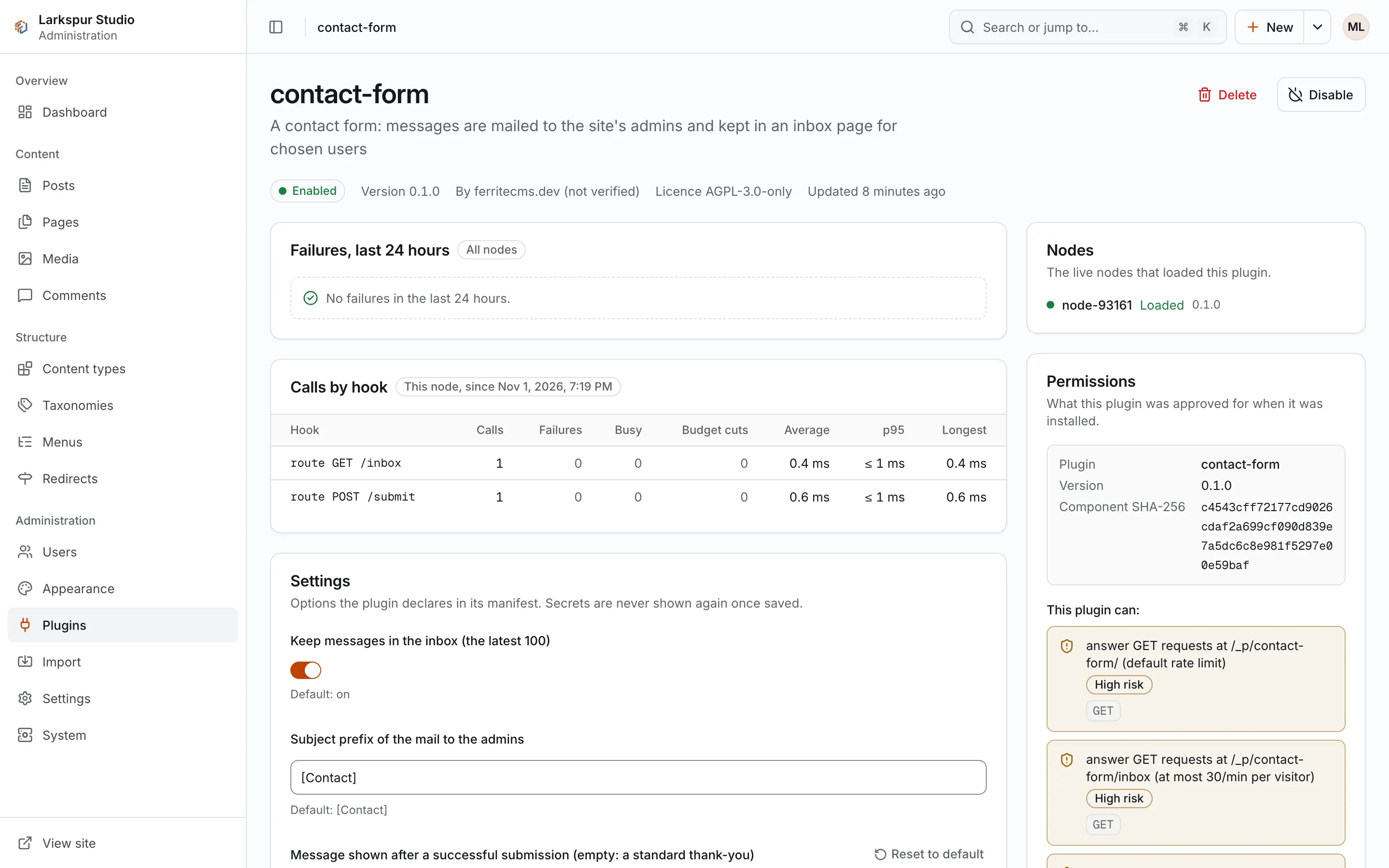
Before anything is installed, FerriteCMS reads the manifest and the component and prints a permission report: the component's SHA-256, one line per capability and per action hook (! marks a high risk, ~ a medium one), any limits the manifest sets, and a fingerprint. You approve exactly that report. An update that asks for more than the installed version lists what it adds, and needs a new approval.
Install from the command line
With SQLite, stop serve first. Check the folder, which prints the report and stores nothing:
ferrite plugin check --data ./mysite --dir ./seo-plugin
Then install it:
ferrite plugin install --data ./mysite --dir ./seo-plugin --enable
install prints the report again and asks install? [y/N]. --yes approves without asking (required when the input is not a terminal). A new plugin is installed disabled unless you pass --enable. Other commands:
ferrite plugin list --data ./mysite
ferrite plugin enable --data ./mysite seo
ferrite plugin disable --data ./mysite seo
ferrite plugin remove --data ./mysite seo
Who made a plugin
A plugin can be signed by its publisher: the folder then also holds ferrite-plugin.minisig (a minisign signature over the two files) and, for a publisher the site does not know yet, ferrite-plugin.pub (the publisher's public key). The report then starts with the publisher:
Verified publisher: the key is listed by the plugin registry the site uses (see below), and the report names that publisher.
New publisher key: a valid signature by a key the site has not seen. Approving the report trusts that key for this plugin's updates.
Unsigned: nothing confirms who made it; the manifest's
publisheris only a claim.
A signature that does not match the files, or one by an unknown key without its ferrite-plugin.pub, is refused: it is never treated as unsigned.
A plugin's stored data belongs to the publisher whose signed version was installed first. An update must be signed by the same publisher; a plugin of the same name from anyone else (signed by another key, or unsigned) is refused until you remove the plugin and erase its data. A plugin installed unsigned keeps working as before, and the first signed version of it takes over its data (the report says so).
[plugins] signatures in ferrite.toml sets what the site accepts: any (the default), signed (no unsigned plugins) or trusted (only keys from the registry or added with ferrite plugin keys trust). It is the operator's setting; the admin only shows it.
The plugin registry
A registry is a signed list of plugins and their versions. With one configured, the CLI and the admin can search it, install from it, and show updates:
ferrite plugin search --data ./mysite seo
ferrite plugin install --data ./mysite seo --enable
ferrite plugin update --data ./mysite --check
ferrite plugin update --data ./mysite --yes
Each of these fetches the registry first. update --check prints <name> <installed> -> <available> and exits 2 when there are updates. Nothing updates by itself: an update is an install with its own report. In the admin, Check for updates fetches the registry, the Registry tab lists its plugins, and an installed plugin with a newer version shows an Update chip.
The site fetches the registry only when asked, unless registry_check = "daily" is set (see Configuration). The default is the official registry, https://softberries.github.io/ferritecms/registry/v1/index.json, published by every release after 0.3.0: it lists the three example plugins, signed by the publisher ferritecms.dev, so ferrite plugin install seo installs them as a verified publisher. The binary carries the registry's key, so nothing needs configuring; 0.3.0 and older binaries have no key and the default registry off. Set registry and registry_key to use another registry, or registry = "" to turn it off.
Publisher keys
Plugins → Publisher keys in the admin (and ferrite plugin keys list) lists the keys the site knows. Revoke stops installs and updates signed by a key; "the key was stolen or leaked" also disables every installed plugin it signed. The operator can trust a key again or add one:
ferrite plugin keys trust --data ./mysite ./publisher.pub --label "Example Ltd"
ferrite plugin keys revoke --data ./mysite 5A1C3D2E4F5A6B7C --reason "key lost"
ferrite plugin unbind --data ./mysite NAME frees a plugin name and keeps its data (for a publisher that lost its key): the next install of that name takes it.
Install in the admin
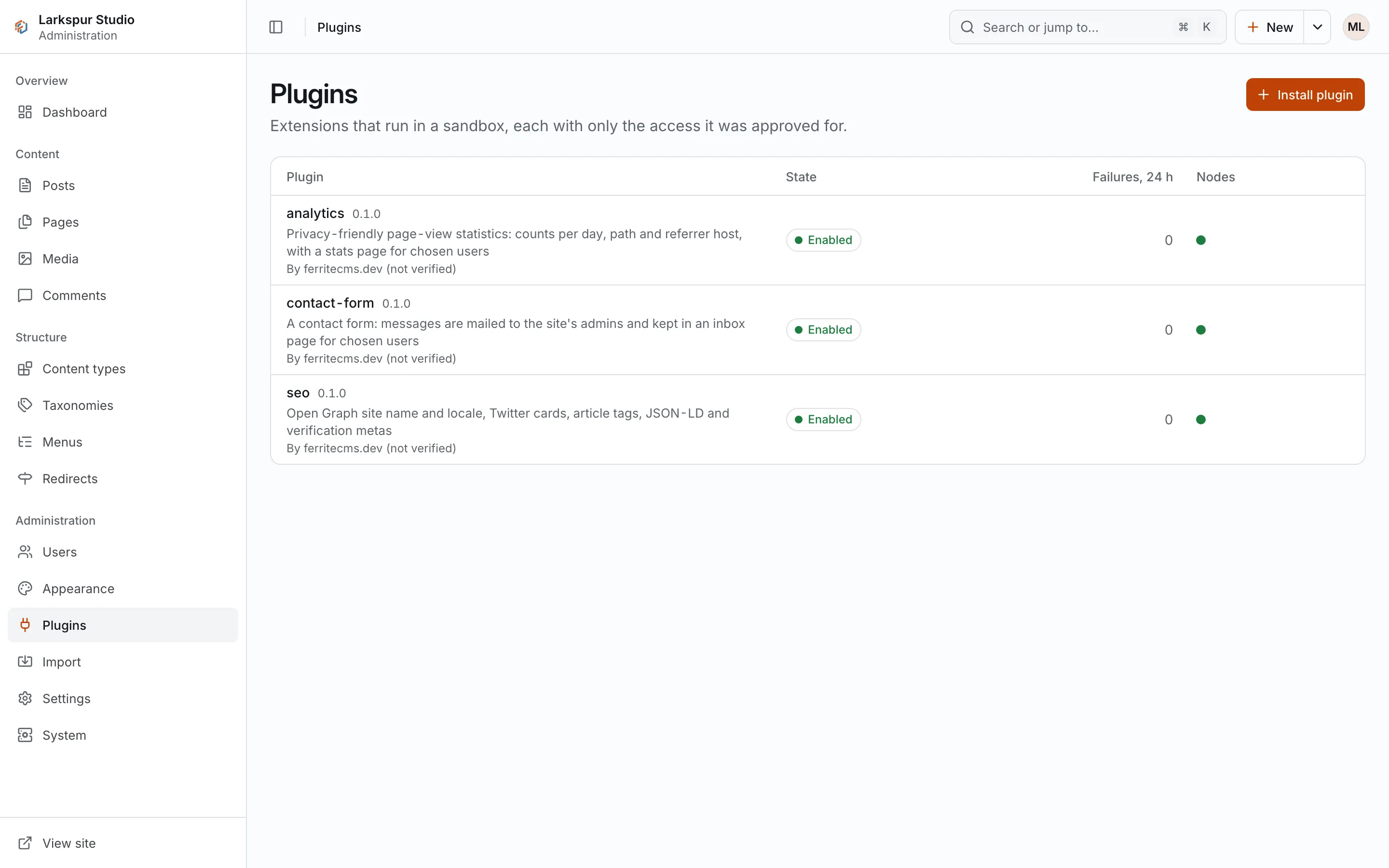
Open Plugins and choose Install plugin. Pick (or drop) the ferrite-plugin.toml and the .wasm, and for a signed plugin ferrite-plugin.minisig and ferrite-plugin.pub; the admin shows the permission report, with the publisher and the high-risk items first, and Approve and install installs it. A new plugin is installed disabled; the last step offers Enable.
Settings
A plugin's settings are on its page in the admin (Plugins, then the plugin). Secret settings are write-only: the admin never shows a stored secret back. The plugin page also shows its failures per hook over the last 24 hours and its call times.
Remove a plugin
Removing a plugin keeps its stored data and settings for 30 days, so reinstalling it within that time finds them. To erase them at once, use --purge (ferrite plugin remove --data ./mysite seo --purge) or Delete and erase data in the admin.
The example plugins
The repository has three example plugins under plugins/examples/, each with a README that lists its capabilities and settings:
Plugin | What it does | Capabilities |
|---|---|---|
| adds the head tags core does not emit: Open Graph site name and locale, Twitter cards, article tags, JSON-LD, search-engine verification tags and the feed link | read posts, read two options, add to the page head |
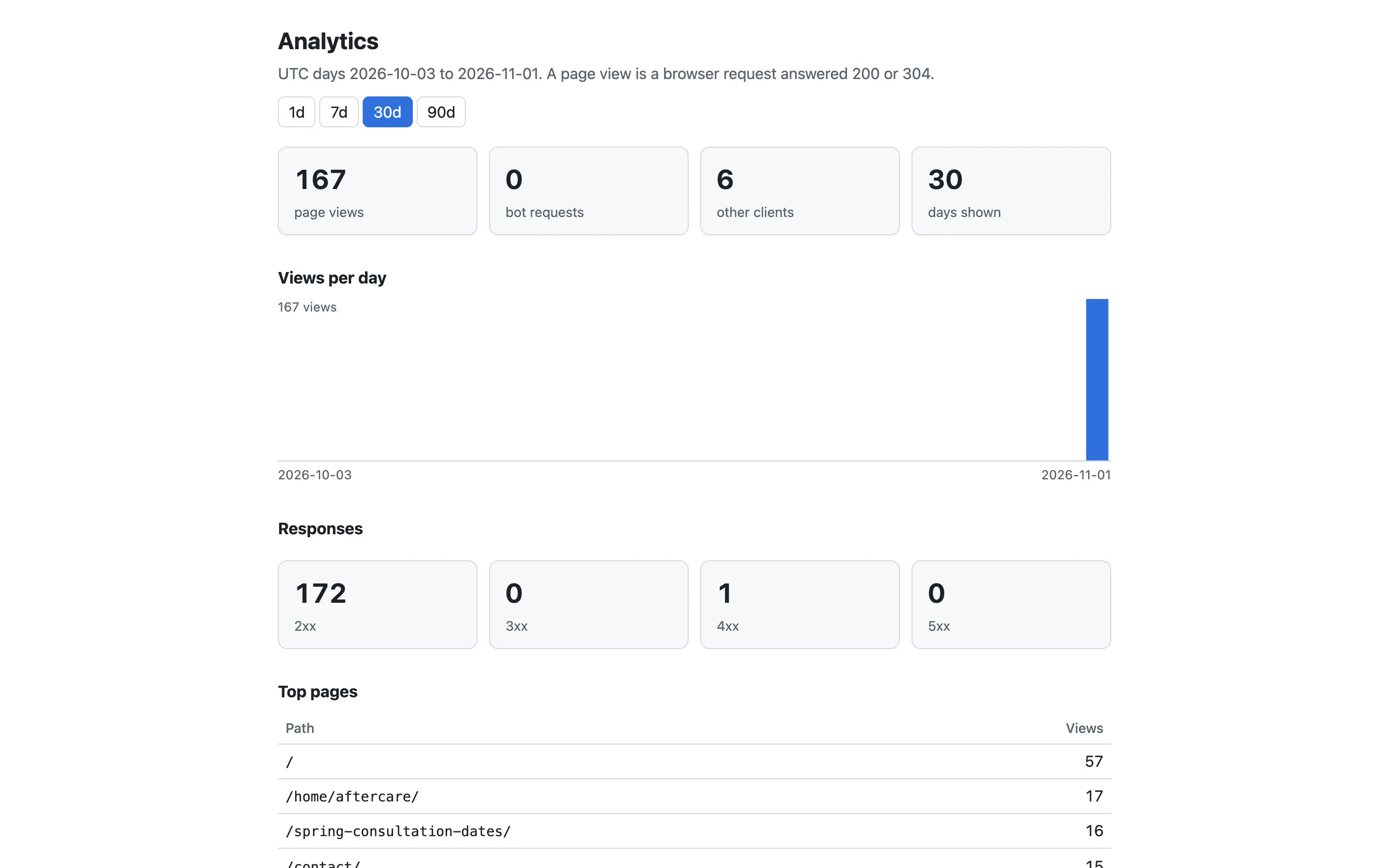
| counts page views per day, path and referrer host, without cookies or IP addresses, and shows them at | its own storage, routes, read one option, the batched request events |
| a contact form whose messages are mailed to the site's admins and kept in an inbox at | routes, its own storage, mail to admins, read one option |
Each release carries them as ferrite-plugins-<version>.tar.gz (folders seo/, analytics/ and contact-form/, each ready for ferrite plugin install --dir). To build one from a clone of the repository instead:
cargo build --release --target wasm32-wasip2 --manifest-path plugins/Cargo.toml -p seo
mkdir seo-plugin
cp plugins/examples/seo/ferrite-plugin.toml seo-plugin/
cp plugins/target/wasm32-wasip2/release/seo.wasm seo-plugin/
For contact-form the built file is contact_form.wasm. The contact form sends mail only when the site has [mail] set up (smtp_url and from in ferrite.toml); without it, messages are still kept in the inbox by default (its store_messages setting).
Updated