
Content types, taxonomies and menus
Add content types with custom fields, organise them with taxonomies and terms, and build menus.
These screens are under Structure in the admin. Creating and changing content types and taxonomies needs an admin; editors can manage terms and menus.
Content types
Structure → Content types lists every type except media, the built-in post and page first. New type asks for:
a label (shown in the admin) and a name, the type's id and part of its addresses: lowercase letters, digits,
-and_, starting with a letter, at most 32 characters;hierarchical: whether an item can have a parent, as pages can;
archive: whether the type has a listing page at
/<name>/.
The name and the hierarchy cannot change later; the label and the archive can. Items of a custom type live at /<name>/<slug>/ (with the parents' slugs in between for a hierarchical type), and the type gets its own entry in the admin's sidebar.
A type can be deleted only when it has no items and no link-to-item field of another type points at it. The built-in types cannot be deleted.
Custom fields
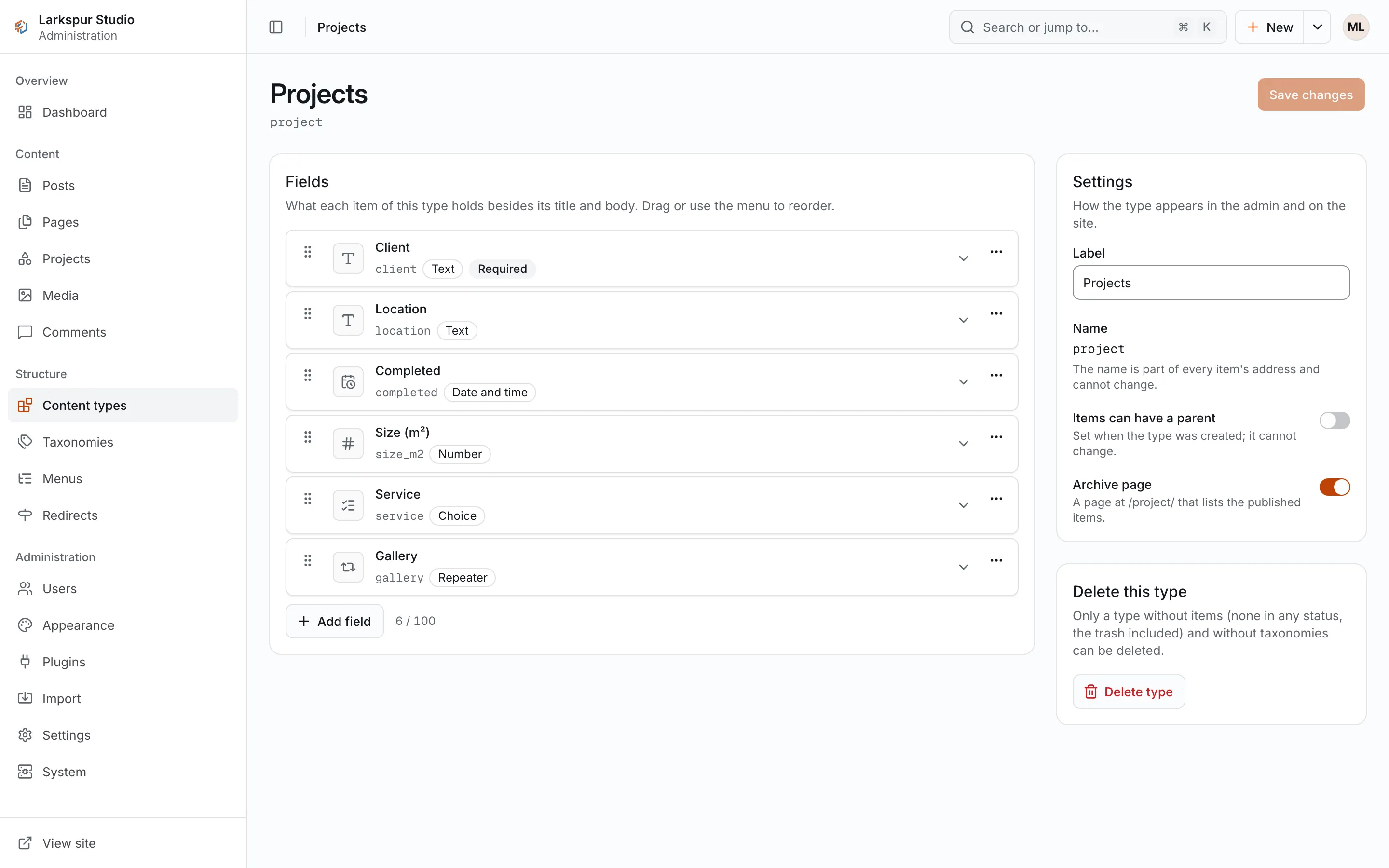
Open a type to edit its fields with the field builder. Each field has a label, a name, a kind and a Required switch. The kinds are:
Kind | Holds |
|---|---|
text, rich text | a line of text, or formatted text |
number | a number ( |
date and time | a moment in time |
yes/no | true or false |
choice | one of a list of options (up to 100) |
link to item | another item; you can limit it to some types |
media | a media item |
repeater | a list of rows of sub-fields, up to two levels deep |
A type has at most 100 fields per level (a repeater's sub-fields are a level of their own). Drag the rows to change their order. The fields show in the editor's side panel, or as a card under the body when there are more than four on a wide screen.
Before a save that removes, renames or changes the kind of a field, or makes it required, the builder lists those changes. Stored values stay in each item until that item is saved again.
Taxonomies and terms
Structure → Taxonomies lists the taxonomies with their terms. The built-in category is nested and tag is flat; both apply to posts. New taxonomy asks for a label, a name, whether it is nested, and the content types it applies to.
In a nested taxonomy, terms form a tree: drag a term onto another, or use Move to…, to change its parent. Siblings are sorted by name. A term that has sub-terms cannot be deleted until they are moved. In the editor, each taxonomy of the type gets a section in the side panel: a checkbox tree for a nested one, a tag box for a flat one.
Each term has a public page at /<taxonomy>/<slug>/ that lists its items.
Menus
Structure → Menus shows the menu locations of the active theme and the menu in each. Create a menu, then Add items:
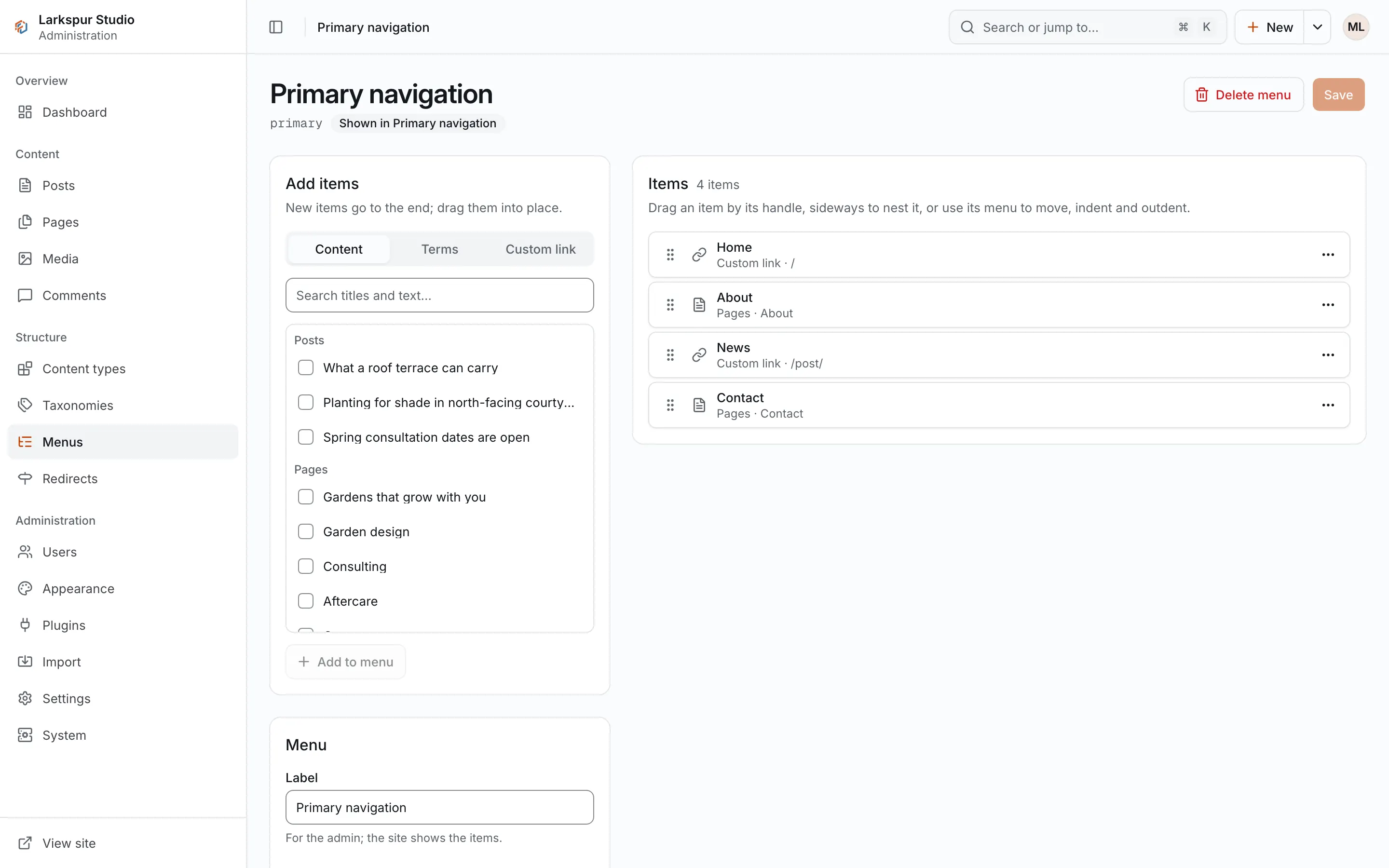
Content: search the items of the types listed in the sidebar;
Terms: pick terms of a taxonomy;
Custom link: an
http(s)://address or a path on this site.
Drag items to reorder or nest them (up to 16 levels and 500 entries), then save. The whole menu is saved at once.
Updated