
Concepts
Content types, items, terms, menus, media, themes, plugins, roles and AI assistants.
FerriteCMS uses the same ideas as WordPress. This page names them and says where each one lives in the admin.
Content types and items
Everything you write is an item of a content type. Three types are built in:
Type | Hierarchical | Default address |
|---|---|---|
| no |
|
| yes: a page can have a parent |
|
| no | the file at |
You can add your own types (for example recipe or product), with their own fields. Their items live under /<type>/<slug>/. See Content types.
An item has a title, a slug, a body, an excerpt, an author, a status and, depending on the type, a parent, an order, a featured image, custom fields and SEO fields. The body is stored as a tree of blocks (paragraphs, headings, lists, images, tables and so on), not as raw HTML; the theme turns it into HTML.
The statuses an editor sees are draft, pending (submitted for review), scheduled (publishes at a set time), published and trash. Only published items are on the public site.
Taxonomies and terms
A taxonomy groups items; its entries are terms. Two are built in, both for posts:
category: nested (a category can have a parent), at/category/<slug>/;tag: flat, at/tag/<slug>/.
You can add taxonomies and choose which content types use them.
Menus
A menu is a named, nested list of links: to items, to terms or to any URL. A theme declares menu locations (the built-in themes have primary and footer), and you pick which menu shows in each location.
Media
Uploads are media items. Images get resized copies in the background, and themes ask for the sizes they need. See Media.
Themes
A theme decides how the public site looks: templates written in MiniJinja (a Jinja2 dialect), CSS and other assets, and optional settings such as an accent colour. Exactly one theme is active. A theme cannot run code on the server; it gets data from core and a fixed set of helpers. See Themes.
Plugins
A plugin adds behaviour: it can change the page head, filter content, answer its own routes under /_p/<plugin>/, store data or send mail to the site's admins. A plugin is a WebAssembly component plus a manifest, ferrite-plugin.toml, that lists what it may do. You approve that list when you install it. See Plugins.
Users and roles
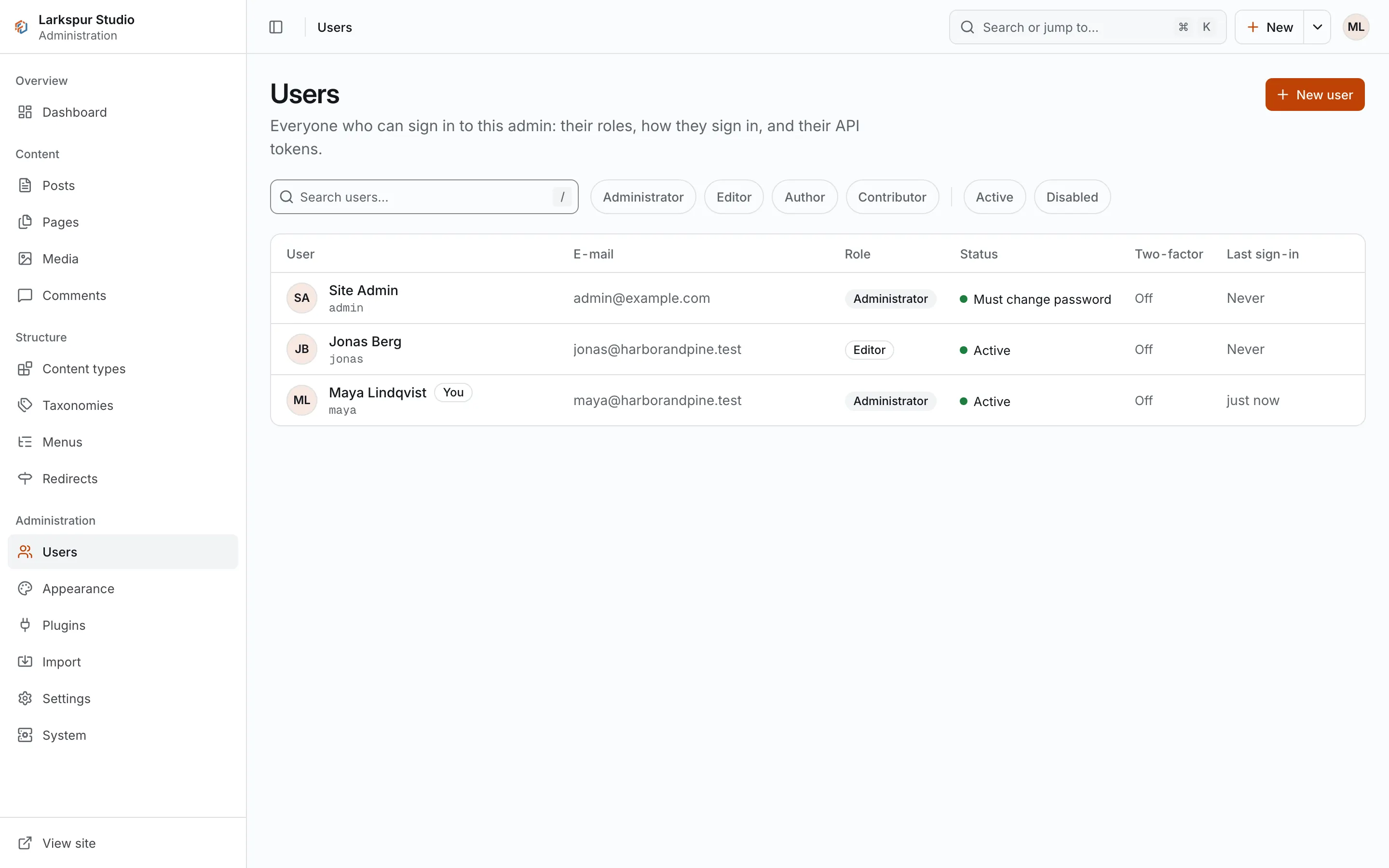
Every account has one role:
Role | Can |
|---|---|
contributor | write their own items while they are drafts or pending, and submit them for review |
author | publish their own items and upload media |
editor | edit and publish everyone's items; manage terms, menus and comments |
admin | everything, including users, settings, themes, plugins, imports, redirects and the system screens |
Each role includes what the roles above it in this table can do.
AI assistants
An AI assistant (Claude, ChatGPT, Claude Code, Cursor, VS Code or another MCP client) connects to the site's MCP endpoint, /mcp, and manages the site through tools: one per job, such as content_create, menu_set or comment_moderate. It signs in as a user, through the site's consent screen, and gets that user's role narrowed to the areas the user approved. Its changes go through the same checks as the admin's and are recorded in the audit log under the app's name. Connected apps are listed under Account → Connected apps. See AI assistants (MCP).
The data folder
A solo site keeps everything in its data folder: ferrite.toml, ferrite.db, media/, backups/ and secret.key. Copying that folder, with the server stopped, copies the site.
Updated