
Self-hosted notification router, written in Rust
Every event, to whoever needs to know.
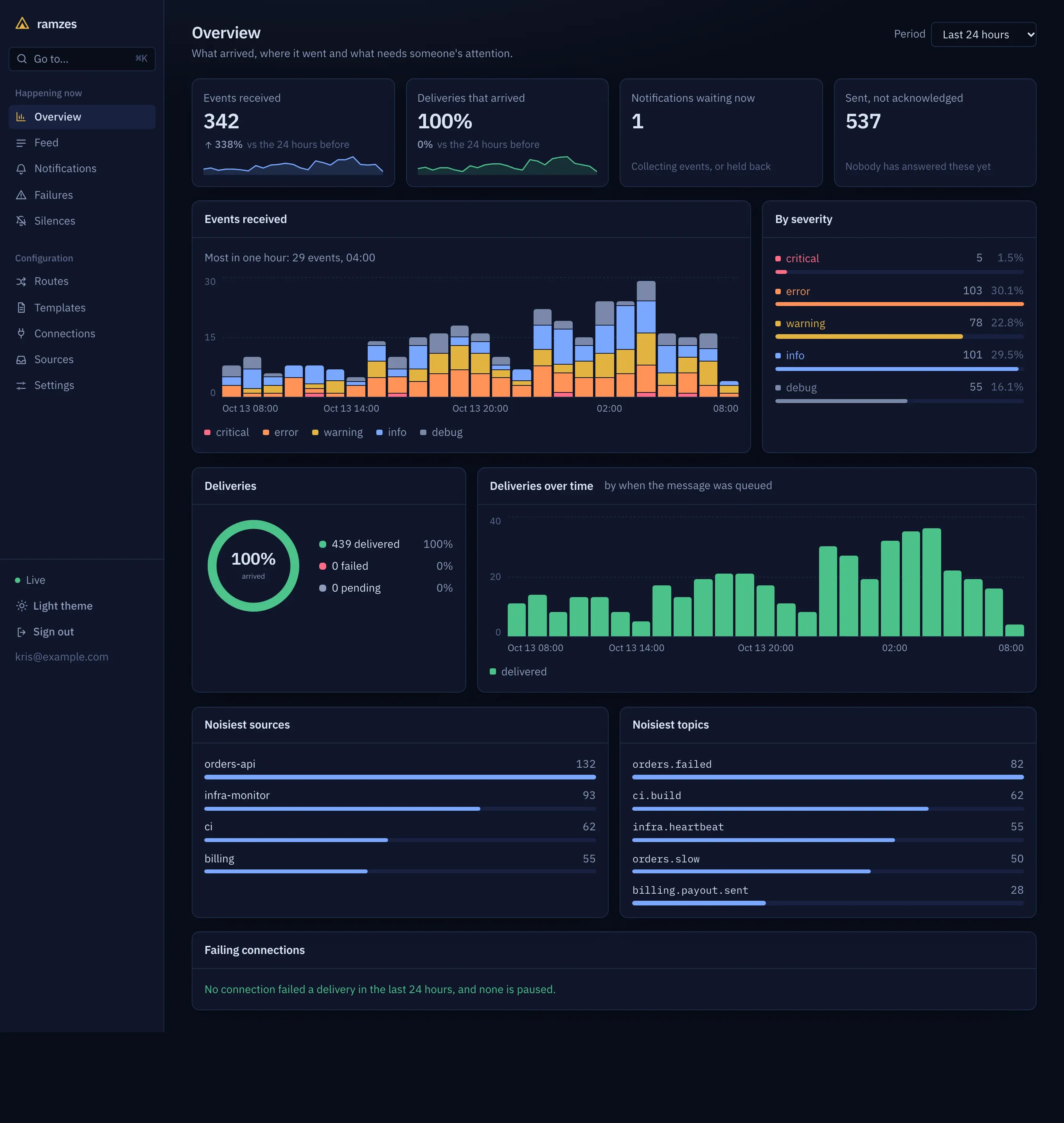
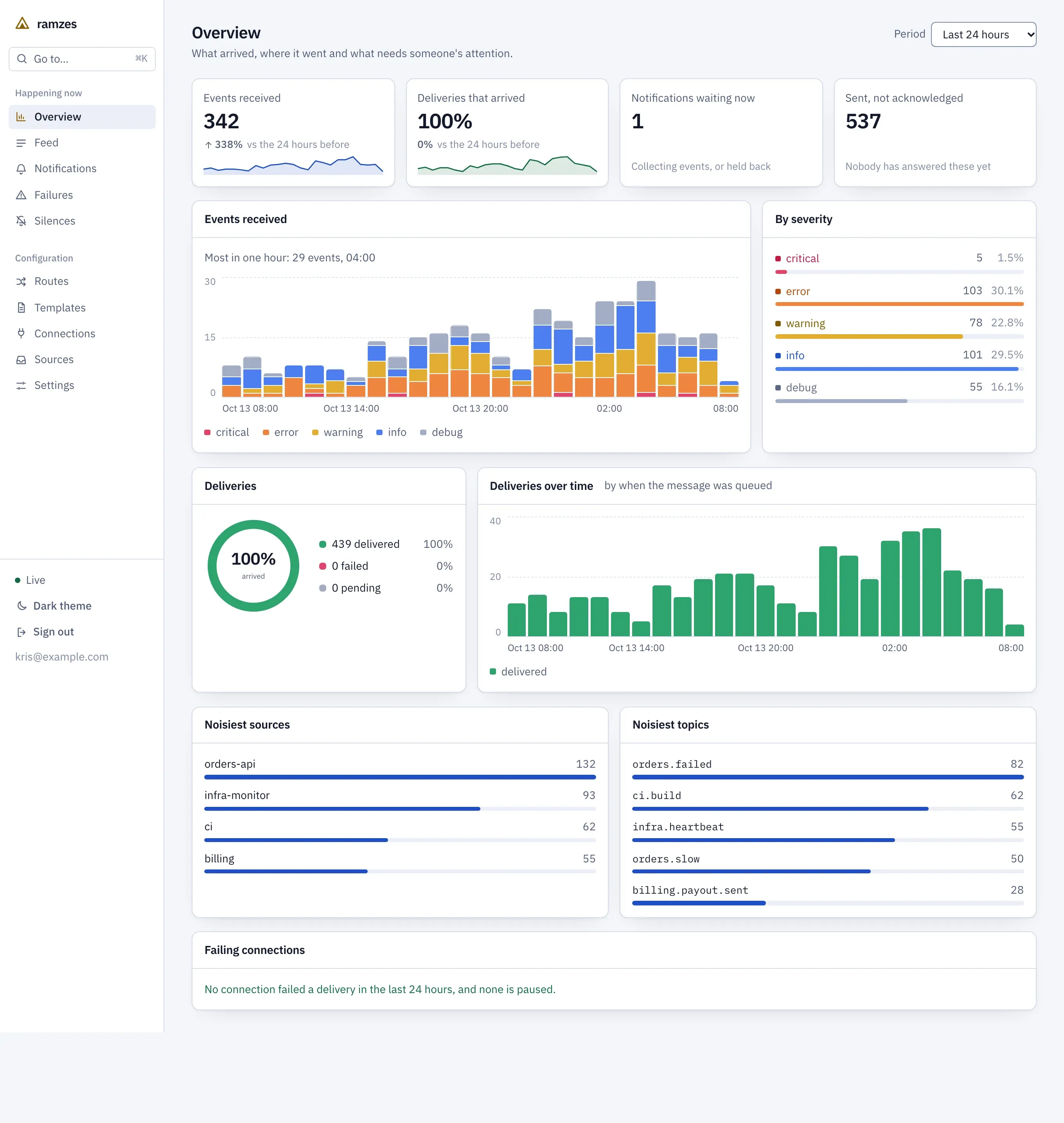
Your services send events to one HTTP endpoint. Routes decide who is told, on which channel and how often: duplicates are counted instead of repeated, bursts are grouped into one message, and what nobody acknowledges is escalated.
- One binary
- SQLite or Postgres
- Web UI built in
- AGPLv3
How it works
Three steps, each of which you can look at afterwards.
Send
A service posts JSON to /v1/events with a source key. Alertmanager, Grafana, GitHub, GitLab and Sentry post their own webhooks to a source address instead, and any other JSON is mapped in the app.
Sending eventsRoute
Routes are checked in order. A route that matches opens a notification for each of its targets, and its policy decides whether that is sent now, counted, grouped or held.
RoutesDeliver
The message goes to Slack, Teams, Discord, email, a pager, a phone or any URL, and is retried until it arrives. Each attempt is recorded where you can see it.
Channels
curl -X POST http://localhost:7269/v1/events \
  -H "Authorization: Bearer <source key>" \
  -H "Content-Type: application/json" \
  -d '{"topic": "orders.failed", "title": "Order 7 failed", "severity": "error"}'
What it does
ramzes sits between the things that notice a problem and the people who should hear about it.
Routes
Match on topic, severity, source, labels or an expression over the payload, and send to one or more channels. The tester shows what every route would do with an event before you save.
Noise control
Per route: count duplicates instead of repeating them, collect a burst into one message, hold messages during quiet hours, cap the rate. Silences mute matching events everywhere.
Escalation and acknowledgement
If nobody acknowledges a notification in time, tell someone else, then someone else. Acknowledge from the app, the API, a link in the message or a button in Slack.
The journey of every event
For each event: which routes matched, what shaping decided, every delivery attempt with the answer the service gave, and the message as it was worded.
Delivery you can rely on
An event is acknowledged only after it is stored. Deliveries retry with backoff, a connection that keeps failing is paused, and failed deliveries can be sent again in bulk.
Configuration as data
Every change to routes, connections, templates and silences is kept with a diff and can be rolled back. Export the configuration from one instance and import it into another.
From anything, to anywhere
Formats follow each service's documentation and are pinned by tests. None has been run against the live service yet; the page of verified claims says exactly what was checked.
Run it yourself
One container with a built-in database, built from a checkout of the repository. The setup screen takes you from an empty instance to a message in your channel.
docker compose -f deploy/compose.yaml up --build